What is a Service Worker?
If you read my first article talking about PWAs, you know I mentioned that a core pillar of PWAs is the ServiceWorker (SW)— but I didn’t quite explain what that was.
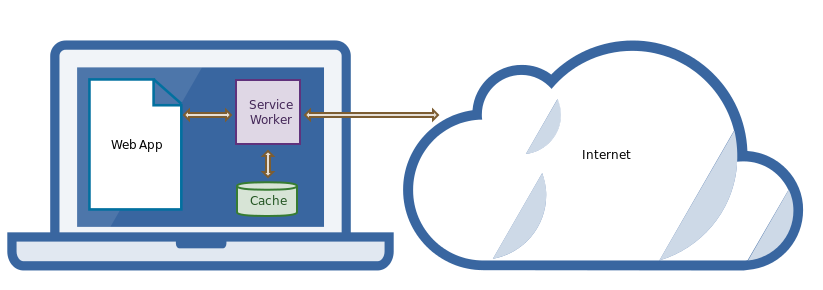
A service worker is a script that your browser runs in the background, separate from a web page, opening the door to features that don’t need a web page or user interaction. — Google
Sounds cool right? Well it is! If you’re making a web app at MyApp.com the service worker will act as an event driven proxy which is given control over the network requests to or from MyApp.com.
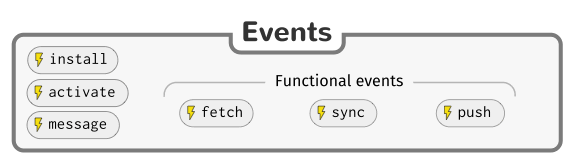
The interface for defining behaviour is quite simple. You can write logic for your SW on any of the following events:
- Install: This is generally the first thing you do when your app loads. You will want to begin caching any files that are required for the page to work incase the network connection is lost. This way, you can switch to offline-mode or fail gracefully.
- Activate: You will likely need to iterate on your service worker and add functionality. The ‘activate’ hook is the first thing to run when a new version of your service worker is installed and is generally used to invalidate cache (this is action is known as cache-busting) or get your application in a happy state.
- Message: Given that SWs are so powerful, you’ll likely want to trigger them for actions unrelated to network events or get data from them that isn’t stored in the remote database. The message hook allows you to communicate between your web app and your SW.
- Fetch: If you want to create a native experience for your users, this is where that work will happen. On any client request you will be able to trigger a hit the network and even fallback to cache if it fails, you could immediately respond with the cache while the network pends, or even query the cache and network at the same time and serve whichever comes back first. Whatever is done here is highly dependent on the type of data you’re requesting. You can read more here.
- Sync: This event allows the developer to queue up future events to fire based off criteria like time of day or losing/gaining network connection. If this event fails it will queue another until it succeeds.
- Push: This trigger is fired by your remote server and allows you to perform actions even when your web app has been closed. The single most valuable feature of the native app experience is probably push notifications and this gives web apps that luxury.
This primitive API is easily extensible into powerful libraries like WorkBox to abstract the developer from complex caching validation strategies and enable reliable app functionality even in poor network conditions.
Forecaast: Another Progressive Weather App
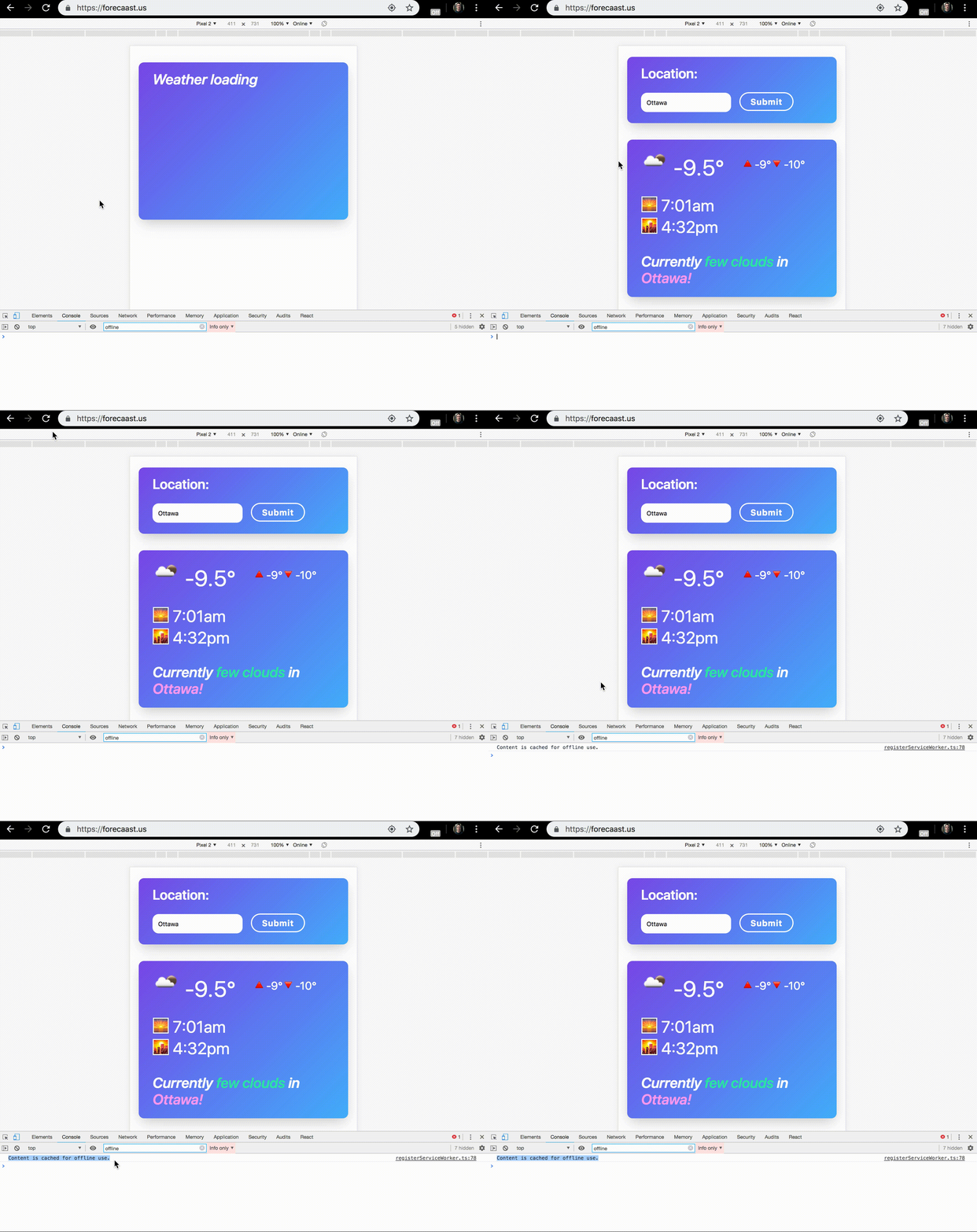
I made a demo app Forecaast; as you can see by the console log above I’m using the ‘install’ event to cache all the files needed to run the app offline.
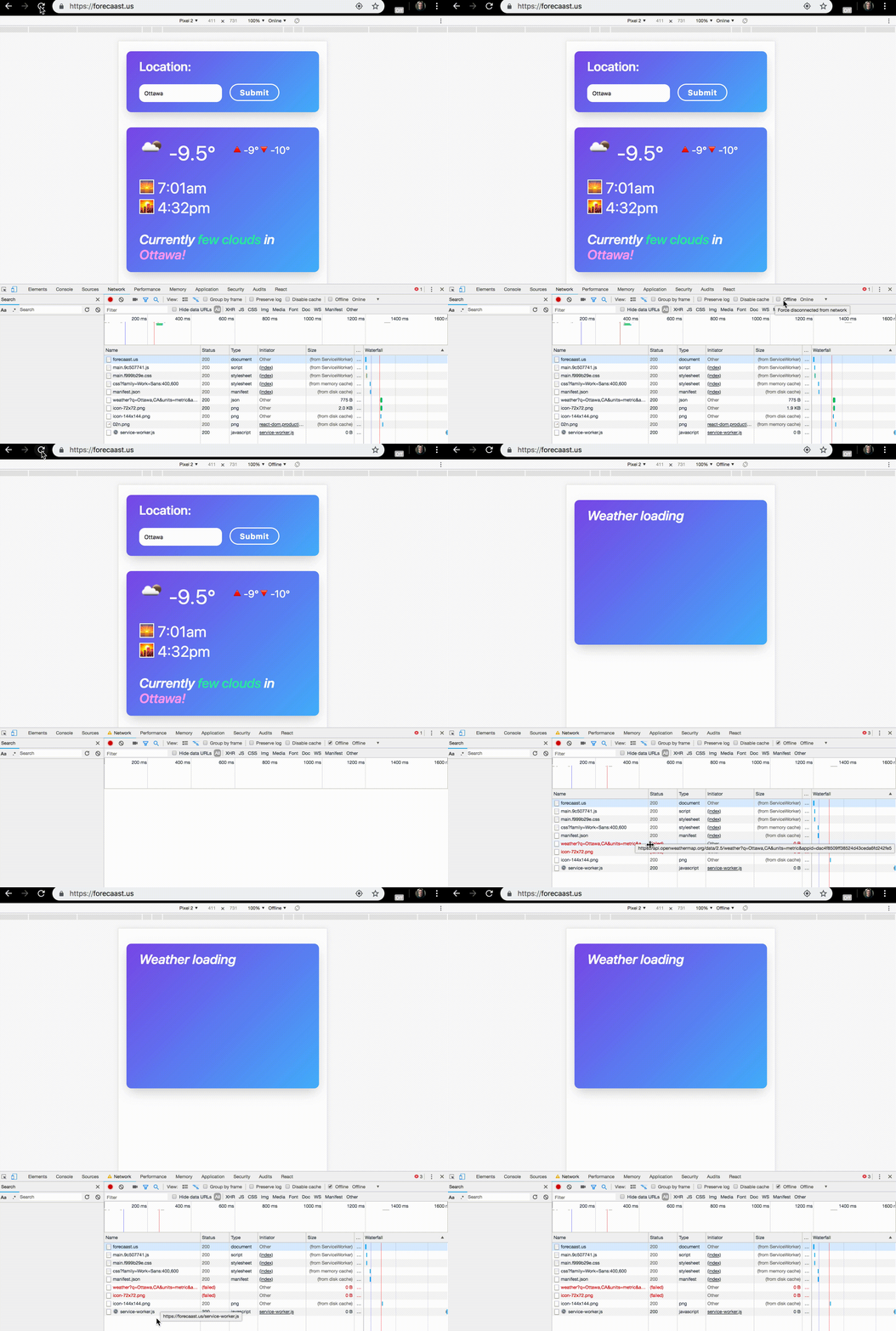
As can be seen above, when chrome is switched offline, the application will still load like normal as the service worker responds with the cached assets.
Caveats
With great power comes great restrictions! While I highly suggest using service workers and building cool apps there are some prerequisites for them:
- In order to install a service worker you must be serving it over HTTPS (I hope this isn’t an issue for your app, USE HTTPS!)
- You can only have one active SW for your origin
- A service worker can only be triggered by events on its origin. For example I use an open source weather api in Forecaast meaning I cannot use the ‘Fetch’ trigger to cache weather data
- Don’t get too excited about background sync, check out isServiceWorkerReady for the most up to date information but currently chrome is the only browser supporting this feature
Thank you for making it here!
If you enjoyed this post, please consider sharing it or check out some of my other articles 🎉 Make sure to subscribe to my newsletter and follow me on Twitter/Github to see what I’m up to.